

For TradingView
Monthly Open Line
Shows you the month’s opening price as a horizontal line and separates the months with a vertical line.
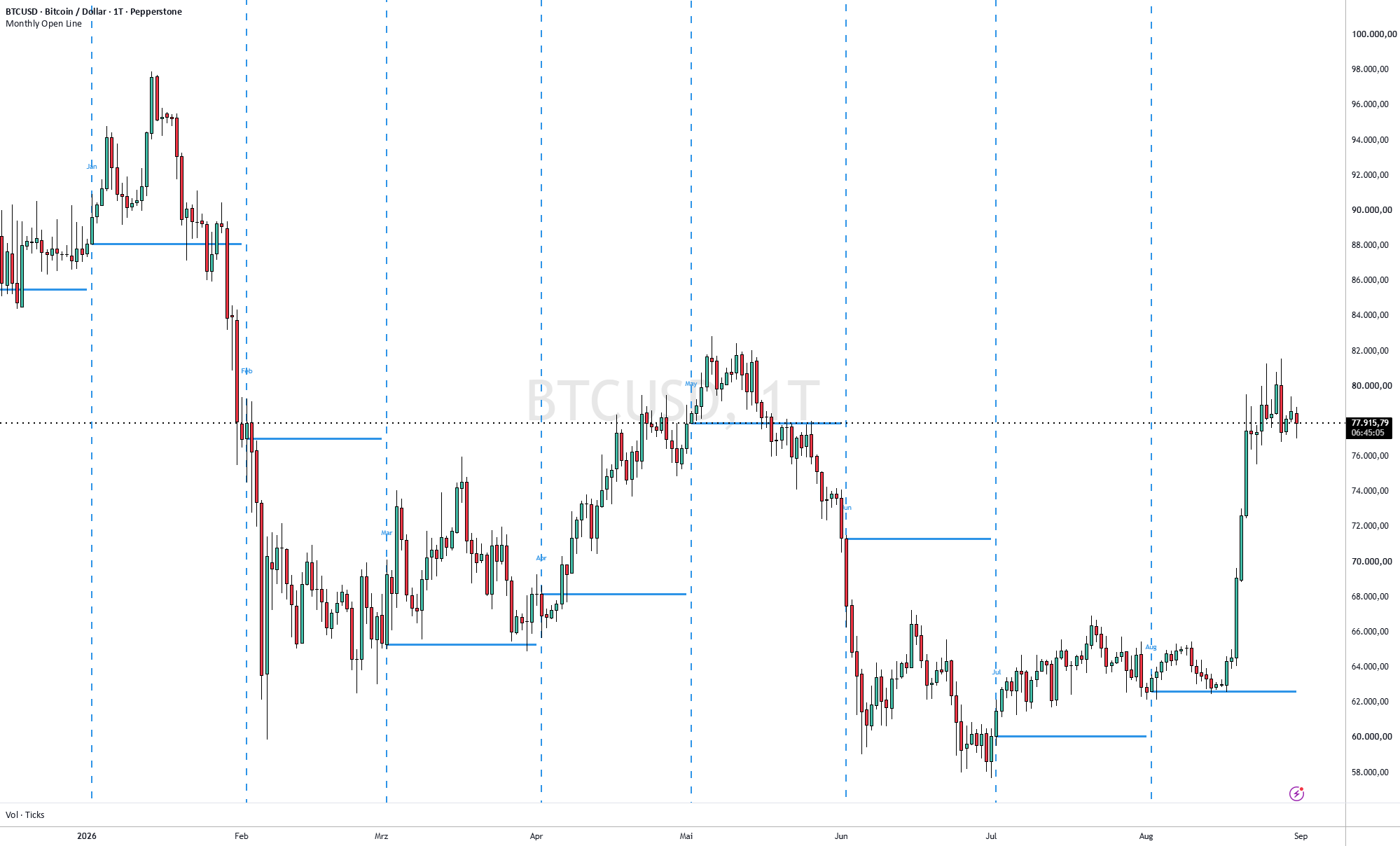
The monthly opening price is the higher-level reference above the weekly open. Together, the two lines show you where the market stands in the bigger picture.
- Horizontal line: opening price of the month
- Vertical line: separator at the start of the month
You can change the colour, line style and other settings.
Weekly Open Line
Shows you the week’s opening price as a horizontal line and separates the weeks with a vertical line.
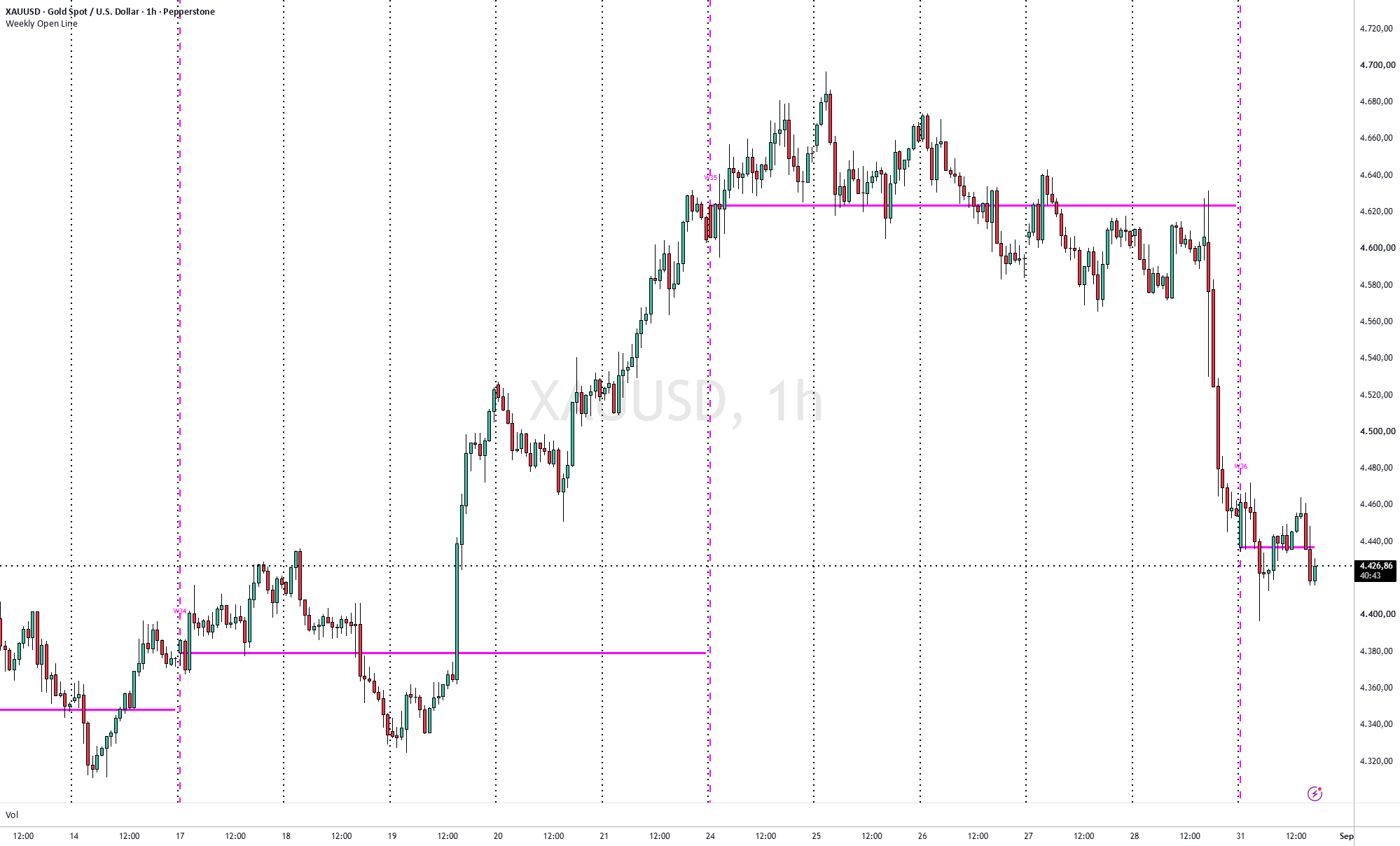
The weekly opening price is a simple point of orientation: is the market trading above or below it? Many traders use it as a reference for the week’s bias.
- Horizontal line: opening price of the week
- Vertical line: separator at the start of the week
Use the script on timeframes below the daily chart. You can change the colour, line style and other settings.
Daily Open Line
Draws a horizontal line at the first price of the day, the daily open.
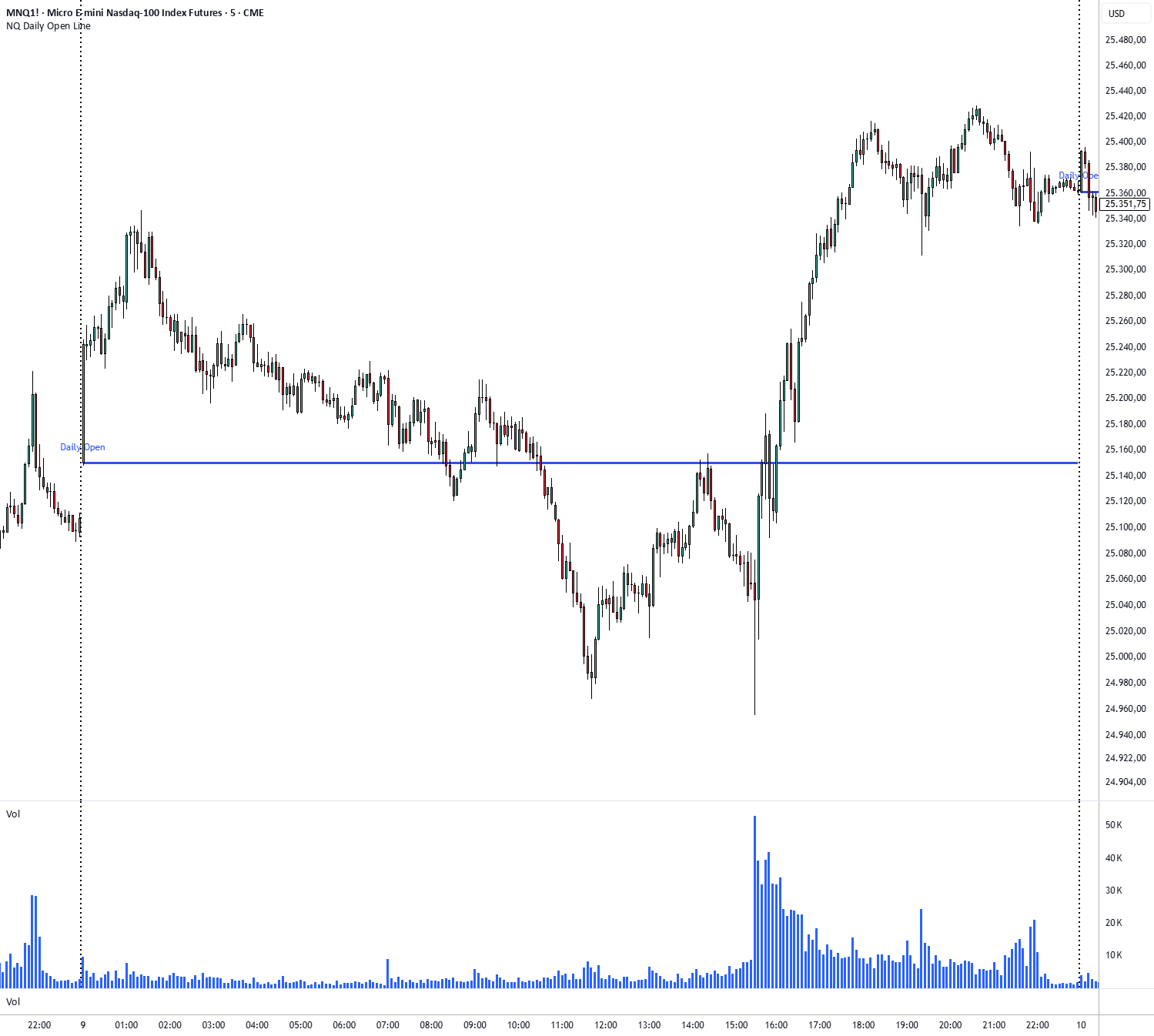
The daily opening price is the smallest of the three open lines: month, week, day. It shows you at a glance whether the market is trading above or below its open.
- Horizontal line: opening price of the day
You can use the script for any market. On TradingView it is called “NQ Daily Open Line (DOL)”.
US-Futures Session Lines Pro
The script for anyone who trades US futures by the clock. It draws the most important opening prices of the day as horizontal lines on your chart.
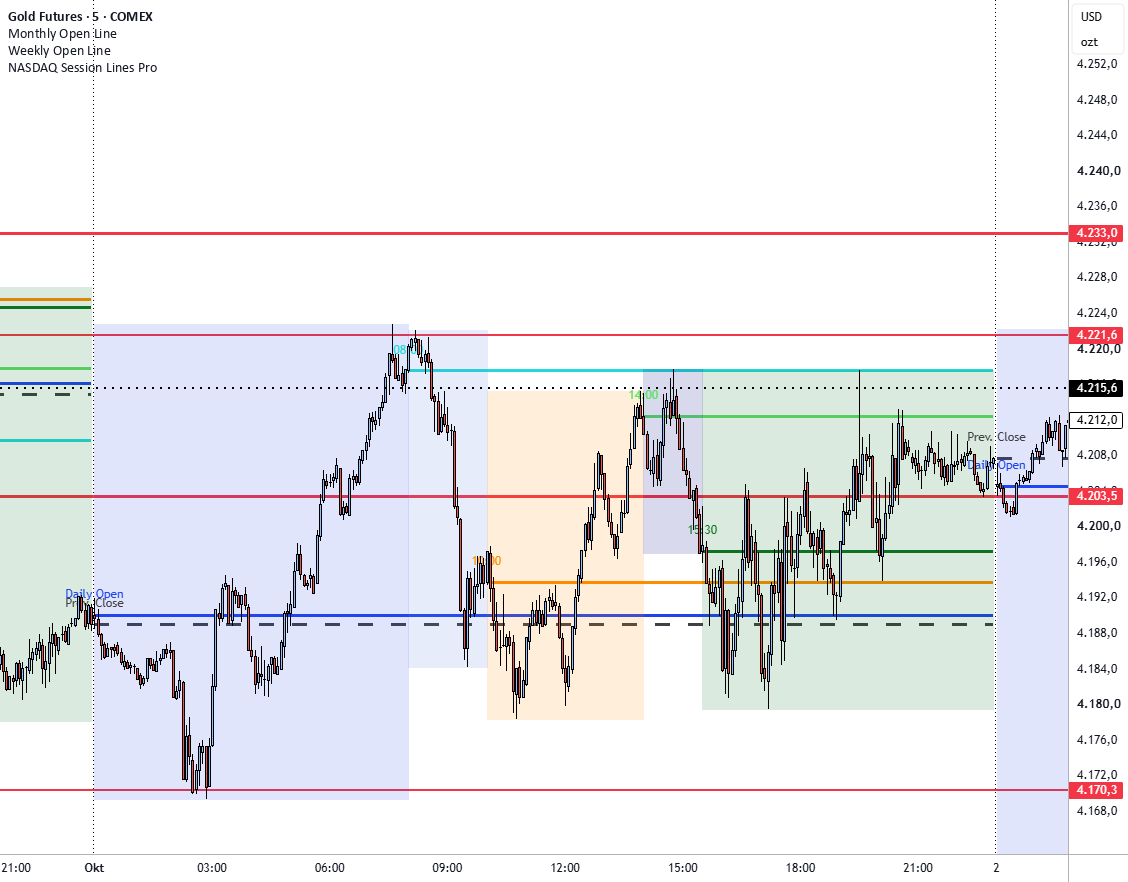
The session changes at these prices, and there is often a lot of liquidity there. You can see at a glance where the price stands in relation to the individual sessions.
- Daily open: the basis for the day’s price movement and bias
- Daily close: dashed line at the previous day’s closing price, helpful with gaps
- 08:00: start of European trading in Frankfurt and London, often sets the volatility for the morning
- 10:00: US stock pre-market, the first wave of American positioning
- 14:00: liquidity in the US futures picks up noticeably before New York opens
- 15:30: opening of the NYSE and Nasdaq, start of the busiest phase of the day
You can adjust the colours of the lines and the shaded zones and switch individual lines on and off. The times are given in Central European Time (CET). In the weeks when the USA and Europe change their clocks on different dates (in March and at the end of October), Wall Street opens at 14:30 Central European Time.
How to add a TradingView script
- Click “Open on TradingView”.
- On the TradingView page, click “Add to favourites”.
- Open your chart, click “Indicators” and select the script under “Favourites”.
You need a TradingView account for this; the free version is enough. You will find all my scripts on my TradingView profile.
For MetaTrader 5
TradeManagerSmart
A trading panel for the desktop version of MetaTrader 5. The window can be moved freely and puts the most important trading functions one click away.
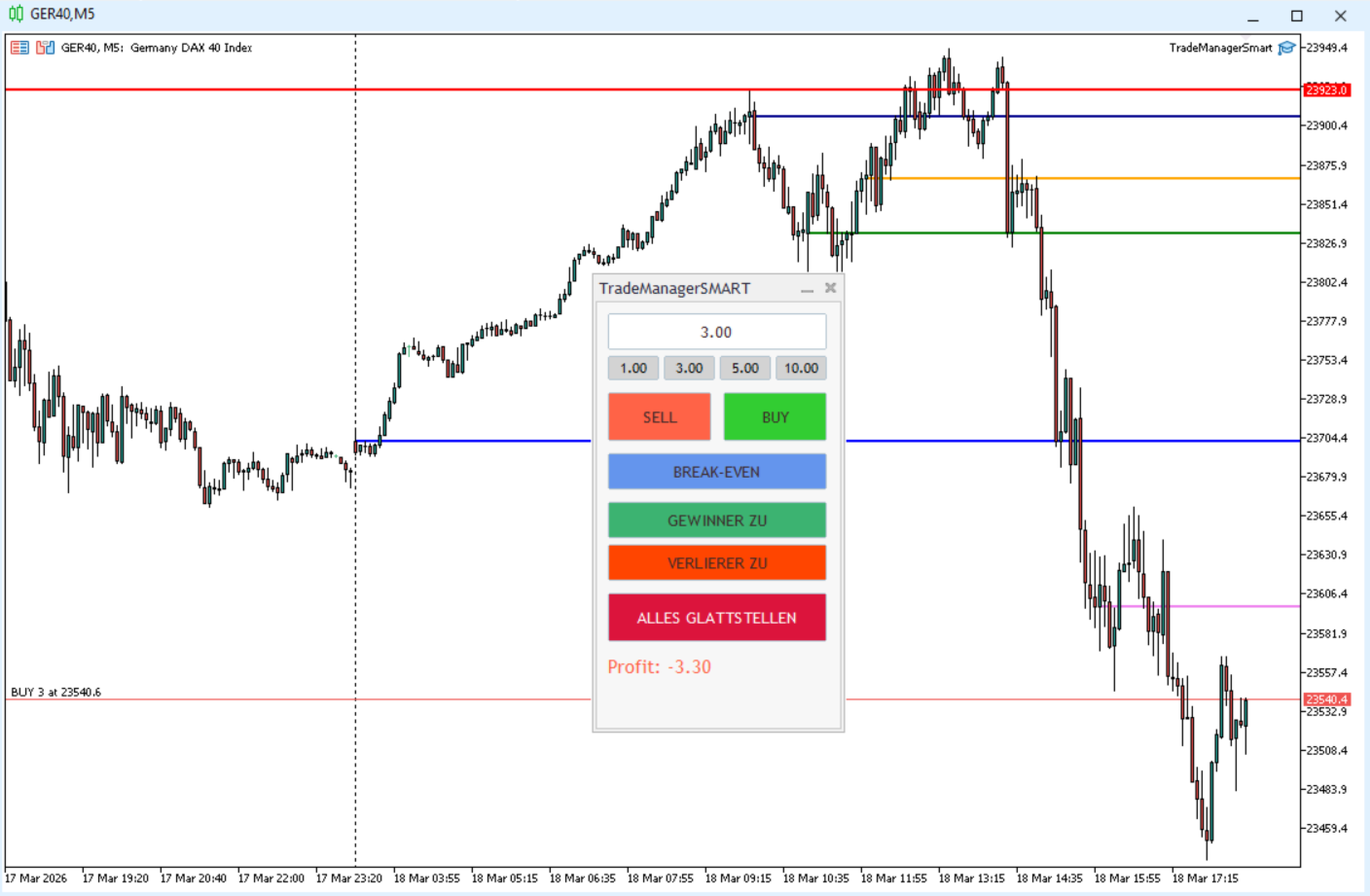
In the settings you decide which buttons and displays you want to see.
- Sell and Buy: sell and buy with one click
- Break-even: moves the stop-loss to the entry price
- Close winners / close losers: closes all positions in profit or all in loss
- Close all: closes all open positions
- Profit and loss: shows the total result of all open positions
- Trailing stop: can be switched on and off, distance in points and minimum step adjustable
- Lot quick select: choose the position size directly in the window
- Daily profit target: adjustable in euros
- Sounds: audio notifications, each adjustable
You need MetaTrader 5 as a desktop program. It is installed via the MQL5 Market directly in the platform.
DAXLines
Draws time-based horizontal lines at the day’s most important opening prices in the DAX CFD or DAX future.
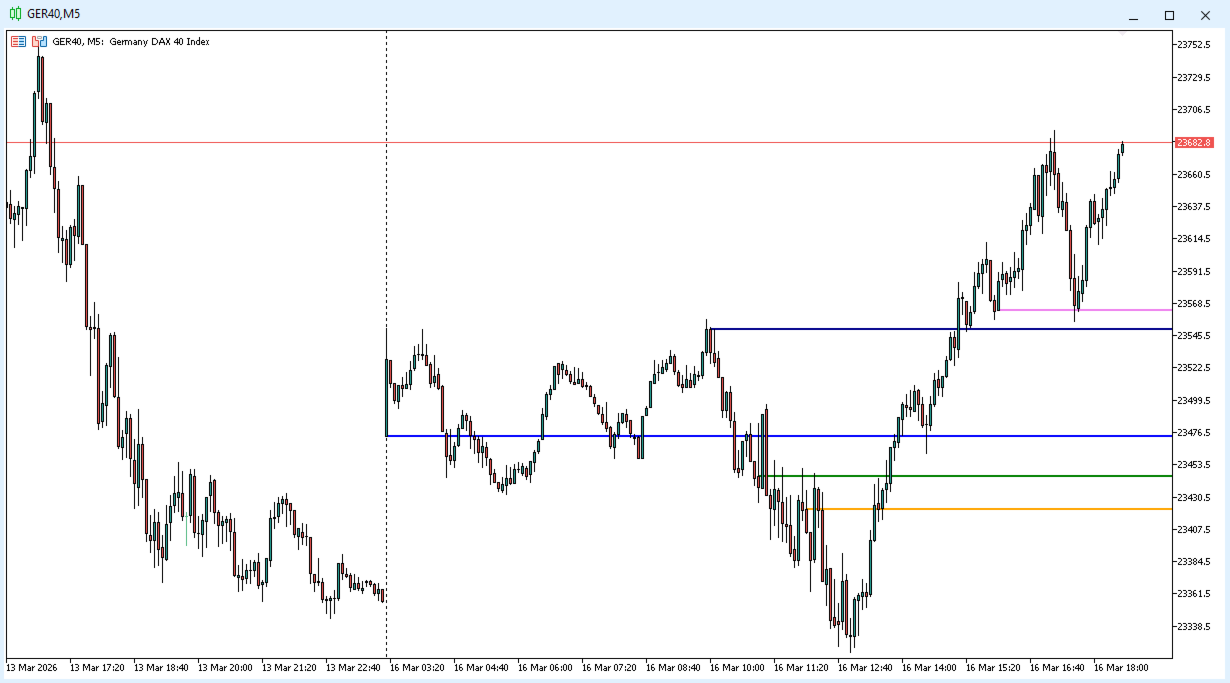
- Daily open: opening price of the day
- 08:00: Frankfurt open
- 09:00: opening of the cash market in Frankfurt
- 10:00: opening of the US stock pre-market
- 14:00: opening of the US pre-market
You can set the colour and width of the lines, as well as the number of days for which the lines are shown retrospectively. Because the server time in MetaTrader 5 often does not match your own time, the time offset can be adjusted.
US Session Lines PRO
Draws time-based horizontal lines at the most important opening prices of the trading day in US index futures and CFDs.
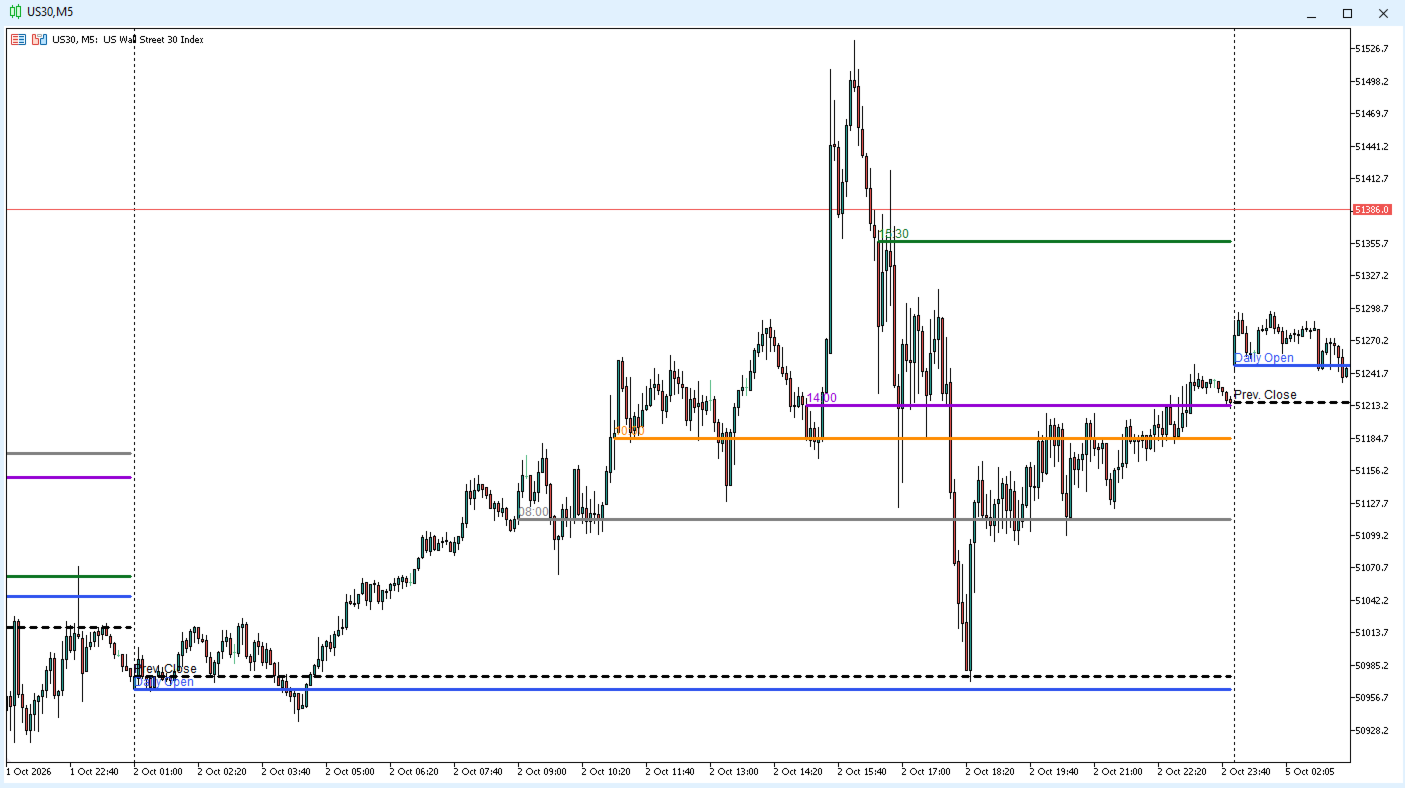
- Daily open: opening price of the day
- Daily close: previous day’s close as a dashed line, useful when there are gaps
- 08:00: European cash market open
- 10:00: US equities pre-market open
- 14:00: US pre-market open
- 15:30: NYSE and Nasdaq open
These levels act as support and resistance. If price holds above or below the opens, that often shows the direction of the session. You can set the colour of each line and show or hide every line individually. Times are Central European Time.
Swap Calculator Panel
Calculates the overnight holding cost for any symbol of your account directly in MetaTrader 5, using your account’s live values and showing the full calculation.
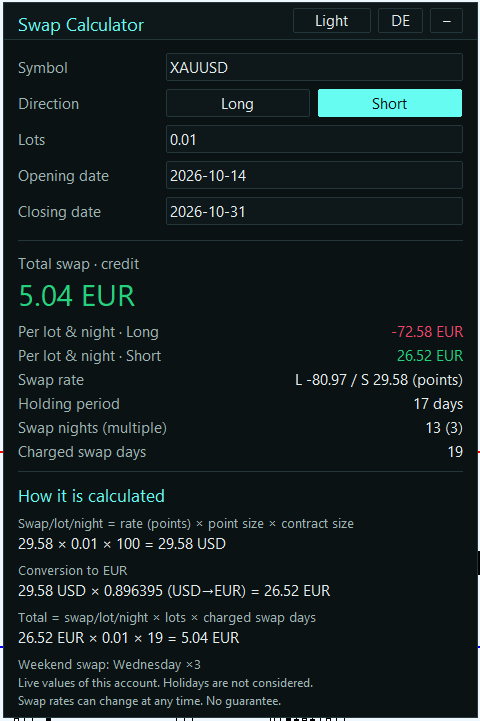
- Inputs: symbol, long or short, lots, opening and closing date
- Swap nights: counted automatically, including the triple swap for the weekend
- Result: total swap in your account currency, plus per lot and night for long and short
- Calculation: every step with the real numbers, so you can check it
- All swap modes: points, % p.a. and currency amounts
- English and German, light and dark theme, switchable in the panel
No internet connection and no DLL needed. Prefer to calculate in your browser? Use my swap calculator here on the website.
The scripts and programs are tools for analysis and trading, not trading signals. Not investment advice. The links lead to TradingView and the MQL5 Market, two external websites.